AfroTech Conference 2026 · Houston · Nov 2 to 6
How to upgrade your 2026 AfroTech conference ticket
Six steps to move up a ticket level and add extras, starting from your confirmation email.
Open my ticket dashboardGo to your ticket dashboard
Find your confirmation email using the email address you registered with. It comes from AfroTechReg@streampoint.com. Open it and use the link inside to reach your dashboard.

Already logged in? Go straight to attendee-aftc2026.streampoint.com.
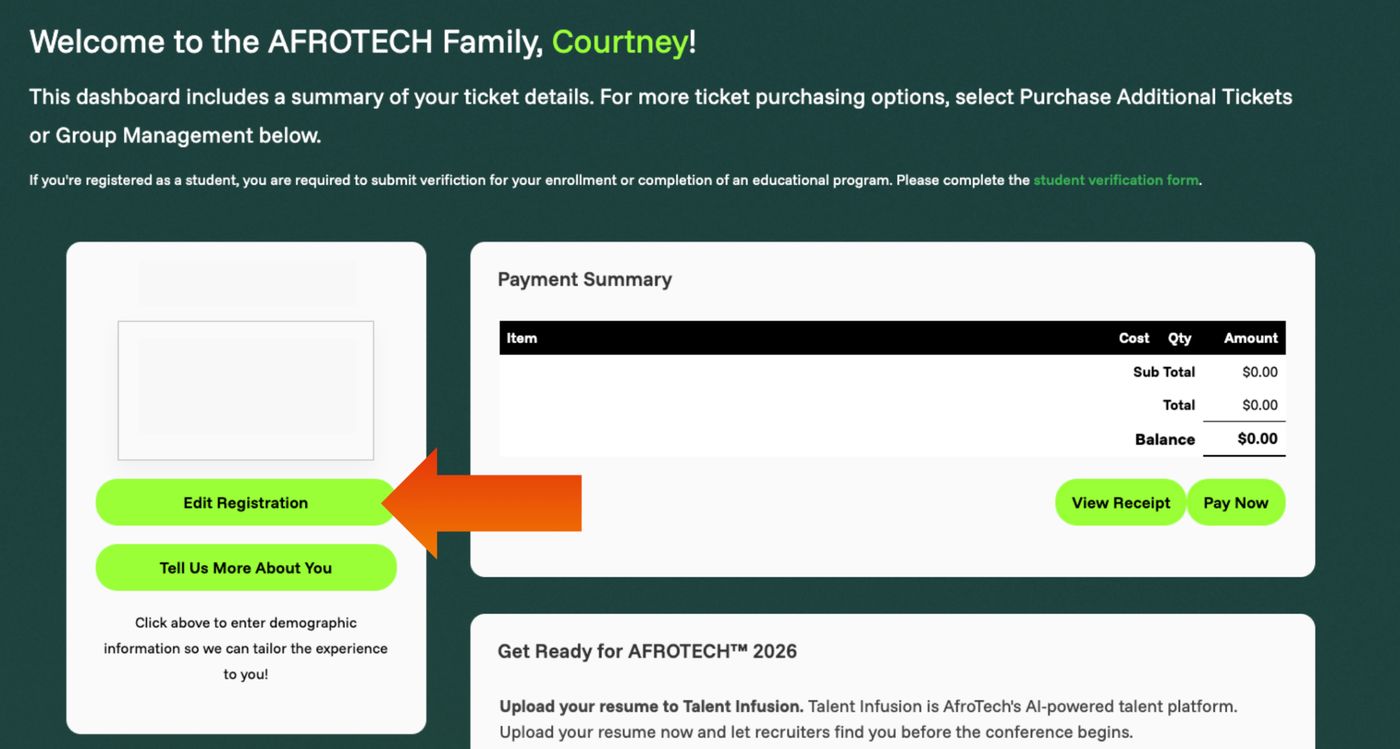
Select Edit Registration
On your dashboard, click the green Edit Registration button.
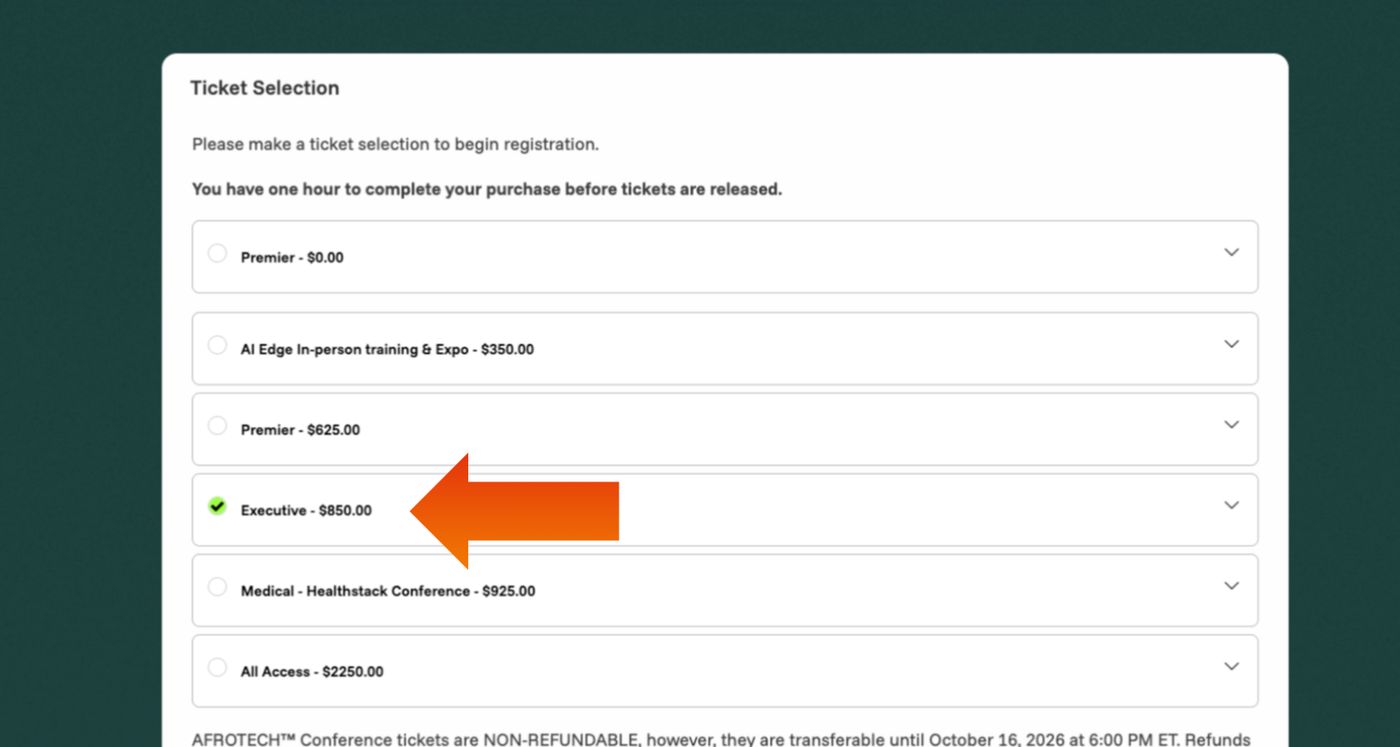
Choose your new ticket level
On the next page, select the ticket level you want. Then scroll to the bottom and select Continue.
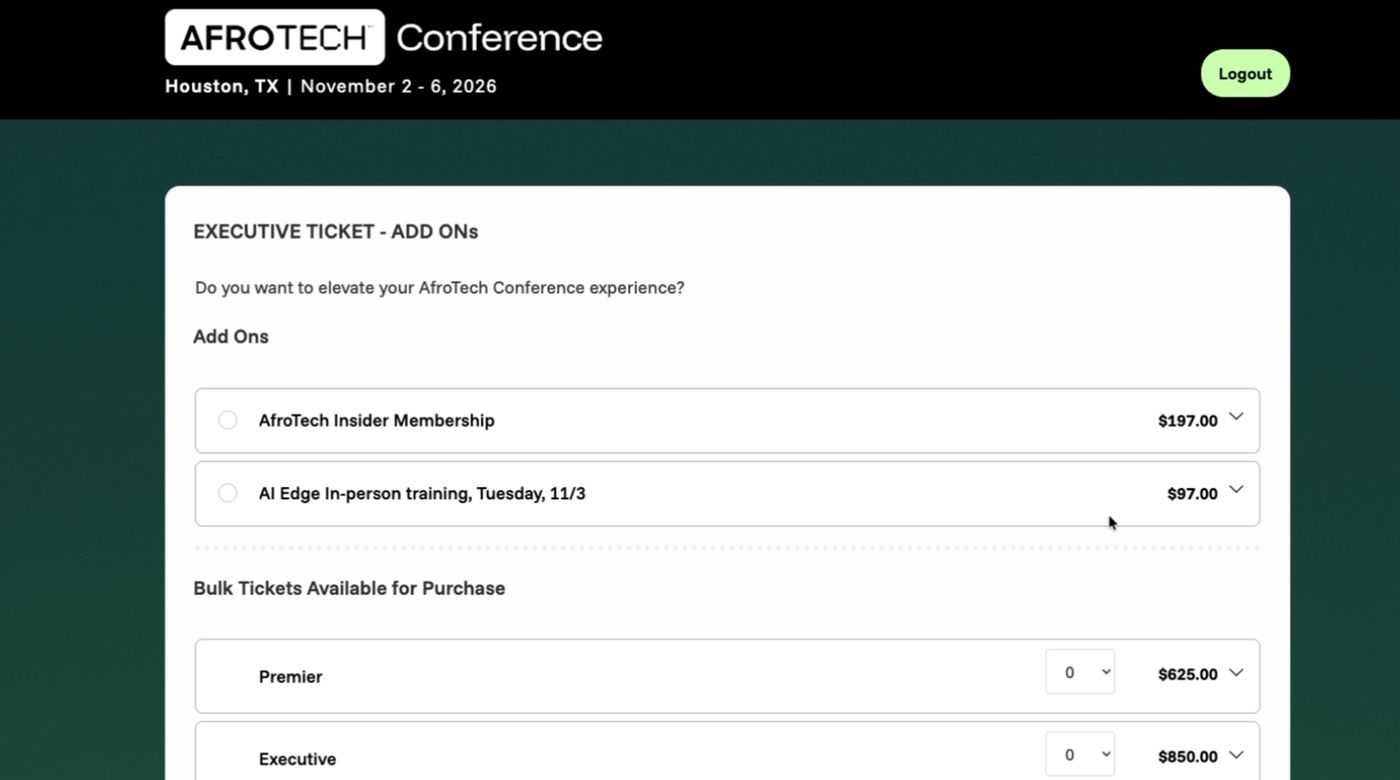
Pick any add-ons
The next page lists additional add-ons. Confirm your selections and select Continue.
Review, pay and complete
The final page summarizes your changes. Your remaining balance is your new selection minus your original ticket price. Enter your payment details and select Complete Registration.
Additional service charges may apply.You're set
Your dashboard updates with your new ticket level. No further action is required.